
Key Takeaways
- Begin with a site assessment covering cable pathways, rack locations, PoE requirements, firestopping, testing, and future expansion.
- Copper cabling is suitable for everyday Ethernet, phones, cameras, access points, and other PoE devices.
- Fiber optic cabling is useful for long-distance connections, high-bandwidth applications, and building or floor backbones.
- Properly installed Wi-Fi access points need reliable wired connections to the network infrastructure.
- Every cable run should be labeled, organized, tested, and documented before the installation is considered complete.
- A detailed installation plan should account for cameras, access control, AV equipment, phones, point-of-sale systems, and future network needs.
Network Cabling Installation Glendale, CA: Services for Commercial Properties
For a Glendale office, retail location, medical facility, school, or multi-tenant property, network cabling is the physical foundation supporting computers, phones, Wi-Fi access points, cameras, cloud applications, and other connected equipment. Professional network cabling installation Glendale CA businesses can rely on involves much more than pulling cable from one location to another.
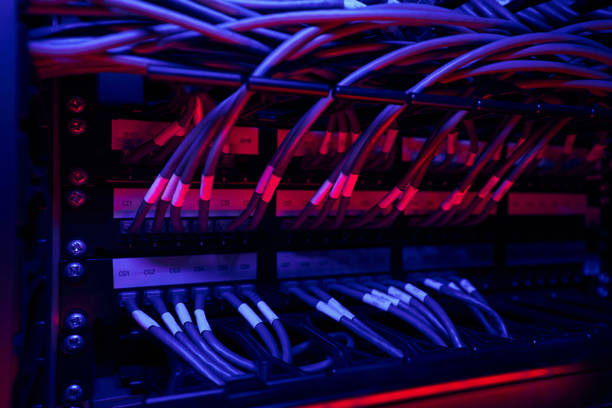
Commercial Network Cabling Installation Checklist
| Installation Area | What to Confirm | Why It Matters |
|---|---|---|
| Outlet Placement | Locations for computers, phones, access points, cameras, and other devices | Provides network connections where equipment is actually needed |
| Rack Layout | Rack location, patch panels, switches, and cable management | Keeps network equipment organized and accessible |
| Cable Pathways | Available pathways, conduit capacity, and future expansion space | Makes future installations easier without unnecessary construction |
| PoE Requirements | Power needs for cameras, access points, phones, and other compatible devices | Helps ensure the cabling supports both data and power requirements |
| Cable Selection | Appropriate copper or fiber type, category, length, and installation requirements | Helps support reliable network performance |
| Firestopping | Proper treatment of penetrations through rated walls and floors | Helps maintain building requirements |
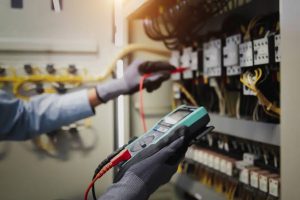
| Testing | Testing of completed cable runs | Confirms that installed connections perform as intended |
| Labeling | Clear labels for cables, outlets, patch panels, and racks | Makes maintenance and troubleshooting faster |
| Documentation | Cable maps, test results, and installation records | Provides useful information for future upgrades |
| Site Coordination | Building access, operating hours, IT coordination, and other trades | Helps minimize disruption during commercial installation |
Network Cabling Installation Planning Checklist
- Use appropriate category-rated copper cable for computers, phones, cameras, access points, and other Ethernet devices.
- Plan Power over Ethernet connections for compatible devices that need centralized data and power.
- Use fiber optic cable for long-distance links, equipment-room connections, building backbones, and higher-bandwidth applications.
- Place wireless access points according to the coverage requirements of the property and provide each location with a reliable wired connection.
- Keep network cabling separated from electrical wiring when installation requirements call for it.
- Label every cable drop, patch-panel port, rack connection, and network outlet.
- Maintain organized cable management inside racks and equipment rooms.
- Leave pathway and capacity for future network additions and equipment changes.
- Test completed cable runs and maintain records of the results.
- Document the finished installation so future technicians can identify network connections quickly.
Our Services
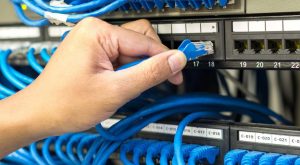
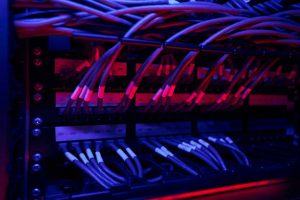
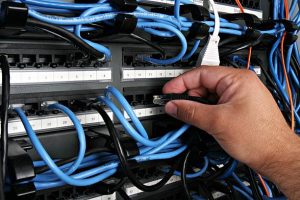
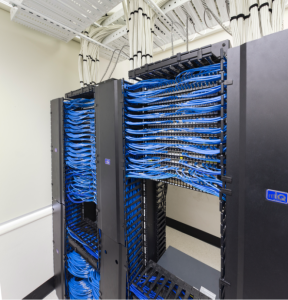
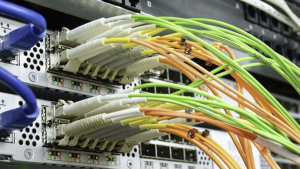
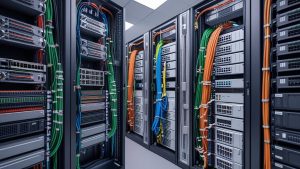
Copper, Fiber Optic, and Low-Voltage Cabling Installation
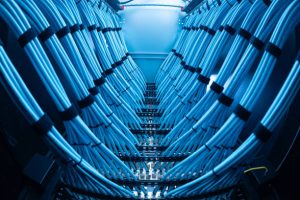
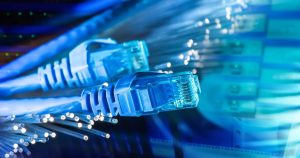
A properly planned network cabling system should be designed around the needs of the property and the equipment it supports. Copper cabling remains a common choice for Ethernet connections, computers, phones, wireless access points, cameras, and other network devices. Category-rated copper cable can also support Power over Ethernet for compatible equipment. This allows certain devices, such as wireless access points, IP cameras, and VoIP phones, to receive both data and power through the network connection.
Fiber optic cabling is useful when distance, bandwidth, or electrical isolation is an important consideration. Fiber can connect equipment rooms, floors, buildings, and other locations where longer cable runs or higher-capacity connections are required. Many Glendale commercial properties can benefit from using both copper and fiber. Copper can serve individual device locations, while fiber can provide backbone connections between network rooms or other areas of a property.
Where Copper and Fiber Fit in a Network Cabling Installation
| Planning Factor | Copper Cabling | Fiber Optic Cabling |
|---|---|---|
| Typical Equipment | Computers, phones, cameras, access points, and PoE devices | Network backbones, equipment rooms, floors, and building connections |
| Common Application | Ethernet connections and device drops | High-capacity and longer-distance connections |
| Power Delivery | Can support Power over Ethernet for compatible devices | Primarily carries data using light |
| Distance | Commonly used for standard device connections | Well suited to longer-distance links |
| Network Role | Device-level network connections | Backbone and high-bandwidth connections |
| Expansion | Useful for adding standard network drops | Useful for growing backbone capacity |
Service Area
Glendale, CA Network Cabling Projects and Common Warning Signs
A network cabling installation should continue to provide value long after the installation crew has completed the work. Clean cable routing, organized racks, labeled connections, and properly installed wall plates are important, but the infrastructure also needs to support the actual demands of the property.
For Glendale offices, retail stores, medical practices, schools, and other commercial locations, the cabling plan should consider both current technology and potential future requirements. A network designed only for today’s computers may become difficult to expand when a business adds more cameras, access points, phones, security equipment, or connected devices.
Professional network cabling installation should also consider how the building will change over time. Leaving appropriate pathways, spare capacity, and organized documentation can make future upgrades easier and reduce unnecessary disruption.
Choosing Network Cabling Installation Services in Glendale
Choosing a network cabling installer involves more than comparing the price of cable installation. The installation should begin with an understanding of the building, equipment locations, cable pathways, network requirements, Wi-Fi coverage, and future expansion plans. For a Glendale office, retail property, medical practice, school, or commercial building, the installation team should be able to explain the proposed cabling design and provide a clear written scope. This can include cable categories, outlet locations, rack layout, patch-panel termination, pathway requirements, labeling, testing, and documentation.
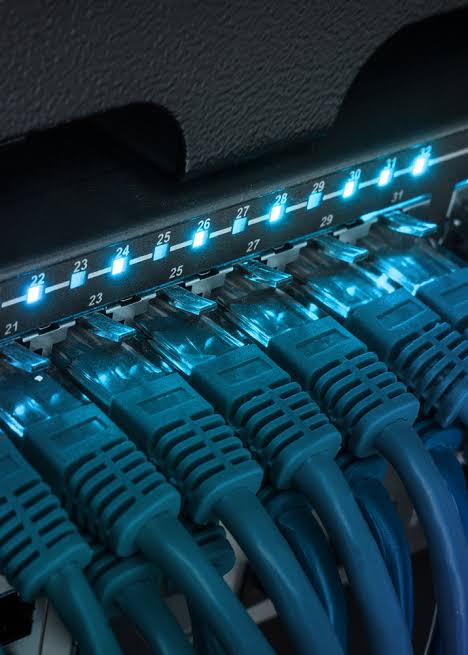
Proper cable routing and termination are also important. Network cables should be supported appropriately, protected from unnecessary damage, routed cleanly, and terminated according to the requirements of the installation. Structured cabling can provide an organized foundation for future moves, additions, and technology upgrades. Instead of treating every new device as a separate wiring project, a properly planned infrastructure can provide accessible pathways and network connections for changing business needs. Before starting a project, request a site assessment and detailed scope of work. Confirm what type of cabling will be installed, how many drops are included, whether testing and labeling are provided, and what documentation will be supplied after completion.